Angry Birds Space version 1.2.2 - from floating through space to using the gravity of nearby planets to set up spectacular trick shots, Angry Birds Space takes the gameplay that fans already know and love to a totally new level. With brand new birds, brand new superpowers, and a whole galaxy to explore, the sky is no longer the limit!
I've been running my Cha'alt campaign on Roll20 during lunch hours and slow times at work.
Sometimes, I label or tag these playtest sessions Swords & Wizardry, sometimes old school D&D, or just D&D 5e... because close enough, right?
Well, a lot of drop-in gamers feel entitled to the official by-the-book, rules-as-written version of 5th edition. Some have even dropped out as soon as they discovered that we weren't using character sheets for a one-hour game or that skill checks would be replaced by actual roleplaying.
While I can't totally blame them (I like what I like and have certain expectations, too), I feel they're missing out on a new (to them) D&D experience.
So, this blog post serves two purposes. The first is to give GMs a glimpse at what I've been using for my Roll20 Cha'alt campaign. The second is to alert potential players as to my interpretation of 5e via old school lens.
Let's face it, Roll20 isn't real roleplaying. As Yoda would say, controversial do you find my words? Well, virtual gaming is a Hell of a lot different than the face-to-face variety. So, without further ado...
House-Rules
Instead of little modifiers, I use Advantage (roll 2d20 and take the highest) when circumstances are favorable and Disadvantage (roll 2d20 and take the lowest) when their unfavorable.
No character sheets!
Come prepared with a NAME, RACE, CLASS, ALIGNMENT, and SOMETHING NOTEWORTHY ABOUT YOUR CHARACTER. That's it.
Whatever race you pick, you can have only one racial ability that helps your character (infra-vision, resistance to charm spells, superior hearing, whatever).
The 4 basic classes only - Fighter, Wizard, Cleric, and Thief.
Fighters can add their level to their to-hit roll and damage. Everyone else, you just roll a d20 and hope you roll your opponent's Armor Class or better.
Damage is per weapon - simple weapons like dagger, sling, club, quarterstaff, whip, and a sharp rock all do 1d4. Medium weapons like short sword, spear, spiked club, rapier, axe, mace, and all bows do 1d6. Large weapons like greataxe, warhammer, trident, halberd, and all types of longswords do 1d10 damage.
Wizards are restricted to simple weapons or they're at a Disadvantage. Clerics and thieves can use simple and medium weapons, but are at a disadvantage when trying to use large weapons. Fighters can use any weapon they want without penalty.
I'm still considering high-tech weapons like machines guns and lasers.
Natural 20 on an attack roll is a critical hit, resulting in double damage!
Alignment! There are 4 to pick from. If you choose Law, then you believe in order, justice, community, and most likely worship the New Gods, namely the Lords of Light. Those who choose Chaos believe in natural selection, revenge, and individualism up to and including self-deification. They are more likely to honor the Old Gods, such as K'tulu, Yog-Soggoth, and Uba-Sa'athla. Those of a Neutral alignment try to balance Law and Chaos within themselves and recognize both the Old Gods and the New Gods. Unaligned means that you don't give a damn about Law, Chaos, or the Gods; you have your own unique philosophy or passion that guides you through the world.
Everyone gets 10 HP per level.
If you reach zero HP, up to negative your level, you're simply unconscious and will recover soon. Once you go past that (-5 HP if your character is 4th level), you're character is dead. Create another one and I'll try to get your new PC back in the game ASAP.
All HP refresh after a full 8 hours of rest (interruptions are fine, just make it up by sleeping-in a little longer).
Levels only go up to 10. At 10th level, the PC is at his adventuring peak.
Characters gain a level after every other adventure.
Wizards and clerics can use virtually any spell in the Player's Handbook that's equal to their character's level.
Every time you cast a spell, you take that spell's level worth of damage. For example, a 3rd level fireball drains the wizard of 3 HP each time it's cast.
Certain magic items, such as wands, only wizards can use.
Clerics are drained of vitality (HP) the same as wizards when casting - including healing!
A 1st level clerical spell can heal 1d6 HP; however, this "divine energy" can instead be used to harm demons, undead, and Lovecraftian abominations [clerical healing/harming goes up to 1d8 at 3rd level and 2d6 at 7th level].
Thieves can do all the usual thief abilities. If it's simple like listening or checking for traps, it can be done easily without rolling, as long as, it's described. Harder thief tasks should be rolled (see Skill Checks below), after the player describes what his PC is doing.
Thieves gain advantage on their attack as many times per day as their level, as long as, the PC's sneaking, hiding, surprising, backstabbing, or looking for weak points is described.
At 5th and 10th level, PCs get to pick a feature, special ability, or feat (kool powerz) that relates to their class. Either something they pull from a book or make up on their own.
Armor Class starts at 10 and goes up to a maximum of 20. Wizards cannot wear armor. Thieves can add their level to AC if not wearing armor. Leather is +2, shield is +2, helm is +1, chainmail is +4, scalemail is +5, platemail is +6.
Saving throws are determined by subtracting a character's level (or monster's HD) from 20. You need that number or better on a d20 to save. Natural 20 means you're completely unaffected.
Epic Feats of Awesome can be attempted instead of your standard attack. Subtract your level from 30 and you need that number or better on a d30 to succeed. The result is whatever the player described.
A short rest is somewhere between 45-60 minutes. You get one of those per day, and it recharges your HP at Xd6, where "X" is your character's level.
One round is approximately one minute of game-time. Combat is abstract, not granular. So, when it's your PC's action, he can move, talk, and take one action (in any order).
Instead of rolling initiative, whichever side would logically strike first goes and then the opposition goes. If there's no clear victor, a tie goes to the PCs.
Instead of making a "skill check," just describe what your PC is doing. Perception and interaction (among other things) will be roleplayed! If there's a chance of failure, the GM will let you know when to roll. You need to get a 15 or better on a d20, adding your level to the roll if you're attempting something related to the PC's class.
Did I forget anything? Probably. FYI, I just updated this post. Thanks for your suggestions!
This will make my job easier. I don't want to have to dig through the book. I don't want players dictating results based on what's written down in some edition or other. I don't want optimized PC superheroes tearing through anything encountered without fear of death or dismemberment - old school gaming is about desperate adventurers trying to survive in a world gone mad... hoping to attain glory, riches, and power!
There's a good chance I'll eventually turn this into a Crimson Dragon Slayer D20 cheat-sheet PDF for anyone interested in simplistic O5R D&D, either using Roll20 or in-person gaming.
-Hold E: Show power selection wheel (Controller: Left bumper) -Left mouse button: Attack with special attacks or thrown grabbed/lifted entity, hold to increase power or change attack variation (Controller: Right trigger) -R: Basic Melee attacks (Controller: B) -Space: Toggle flight (Controller: X) -Q: Grab/lift target (Controller: Right bumper) When a target is grabbed or lifted press Left mouse button to thrown, hold to increase power -Hold Right mouse button: Set target destination and shows enemy/ally health when they are on screen (Controller: Left trigger) -T: Teleport to target position, aim to waypoint in map to teleport to the waypoint (Controller: Left bumper) -Shift: Increase sprint speed or flight speed (Controller: A) -D1 - D9: Change Saiyajin level
hello today we have bring a cartoon game for android that will make you fun . cars 2 is the game of enjoy. the game will run on ppsspp
screen shots of the game
Here are the Cars 2 system requirements (minimum)
CPU: 3.0 GHz Intel® Pentium® 4 class or AMD Athlon™ 64 3500+ or equivalent processor
CPU SPEED: 3.0 GHz Intel® Pentium® 4 class or AMD Athlon™ 64 3500+ or equivalent processor
RAM: 1 GB
OS: Microsoft® Windows® 7 / XP® SP3
VIDEO CARD: 256 MB 3D video card supporting Shaders 3.0 (NVIDIA GeForce 6600 or higher, ATI Radeon X800 or higher) Onboard (built-in) integrated chipsets are not supported.
SOUND CARD: Yes
FREE DISK SPACE: 3 GB uncompressed hard drive space
after downloading the game
download ppsspp from play store
download z archier
then extract file in ppsspp folder
😉
if you have any problem then check our youtube channel Gj the gamer
One of my goals for 2019 is to improve my existing pages. Yesterday I decided to work on my old 2D noise page. We normally use Perlin/Simplex noise to make terrain heightmaps, but on that page I used Fourier transforms instead. Perlin/Simplex noise are a fast approximation of the things you can get from Fourier transforms.
The 3D renderer on that page always bothered me. It was one of my early experiments with WebGL. I had never been able to figure out exactly what I didn't like or how to fix it.
I decided to improve the renderer.
I read through the code to and realized it was written so long ago that let and const weren't even widely available! I started by updating the code style to match the code I write today. I read through the rendering code and decided to switch from raw WebGL to regl.js, which lets me experiment and iterate much more quickly.
I wanted to compare the old and new output easily, so I put them side by side on the page. I wanted to try two techniques with the new renderer:
Instead of building a new 3D quad mesh on the CPU every time the data changed, I built a single 2D triangle mesh with x,y, and then read the heightmap data from a texture on the GPU. Reading textures from vertex shaders is widely supported now. This way, I only have to update the texture on each render instead of rebuilding the mesh. Unfortunately I couldn't figure out why it wasn't interpolating pixels values; I had to put in my own interpolation.
Instead of calculating normals and lighting on the CPU every frame, I calculated them in the fragment shader on the GPU. But I didn't want to use a standard lighting system; I wanted to apply outlines instead. I had learned how to do this in mapgen4 and wanted to try an even simpler approach here. This worked out really well.
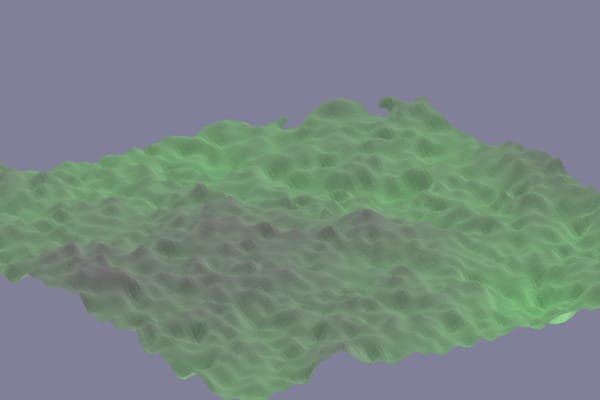
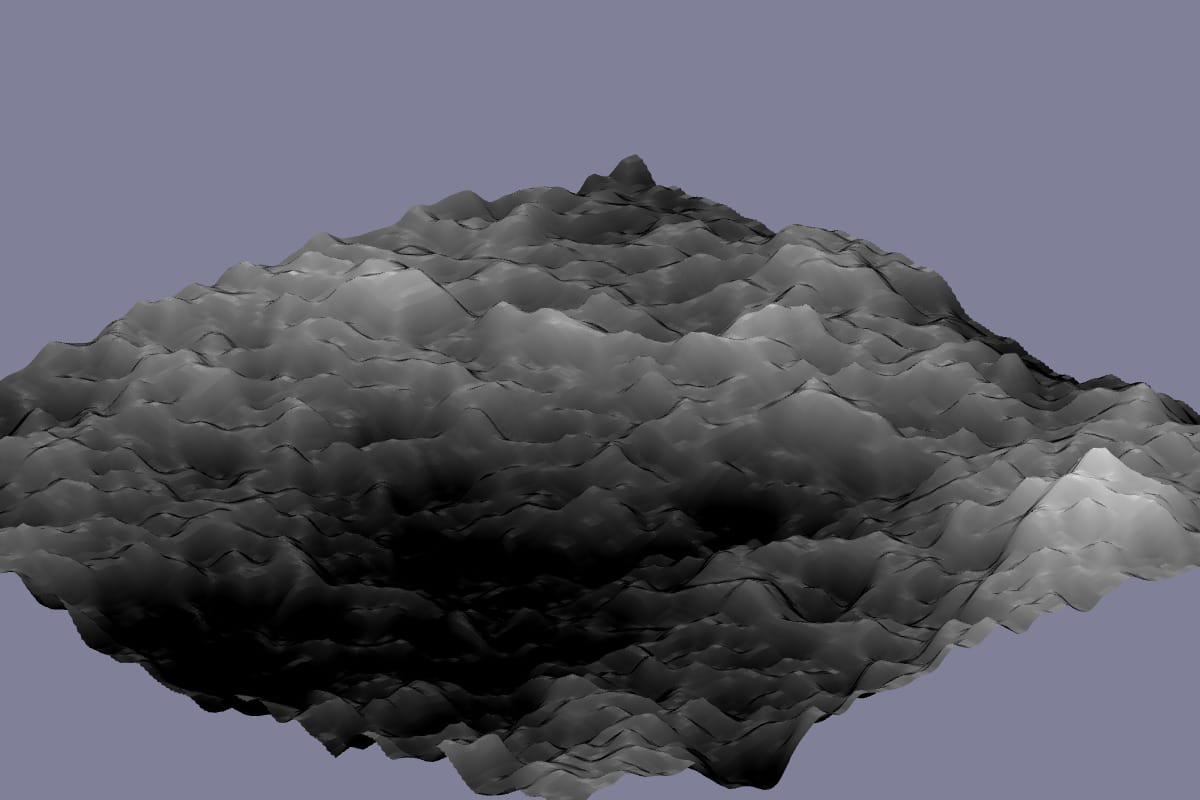
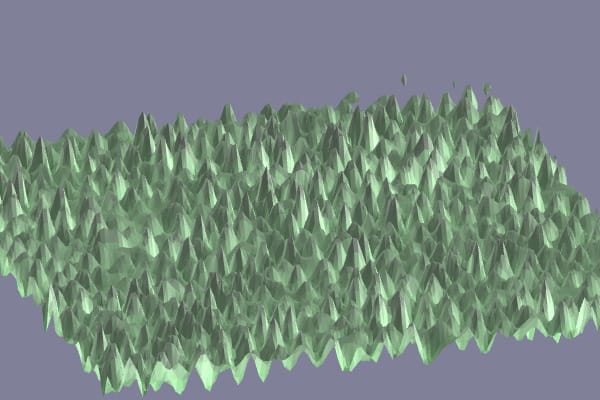
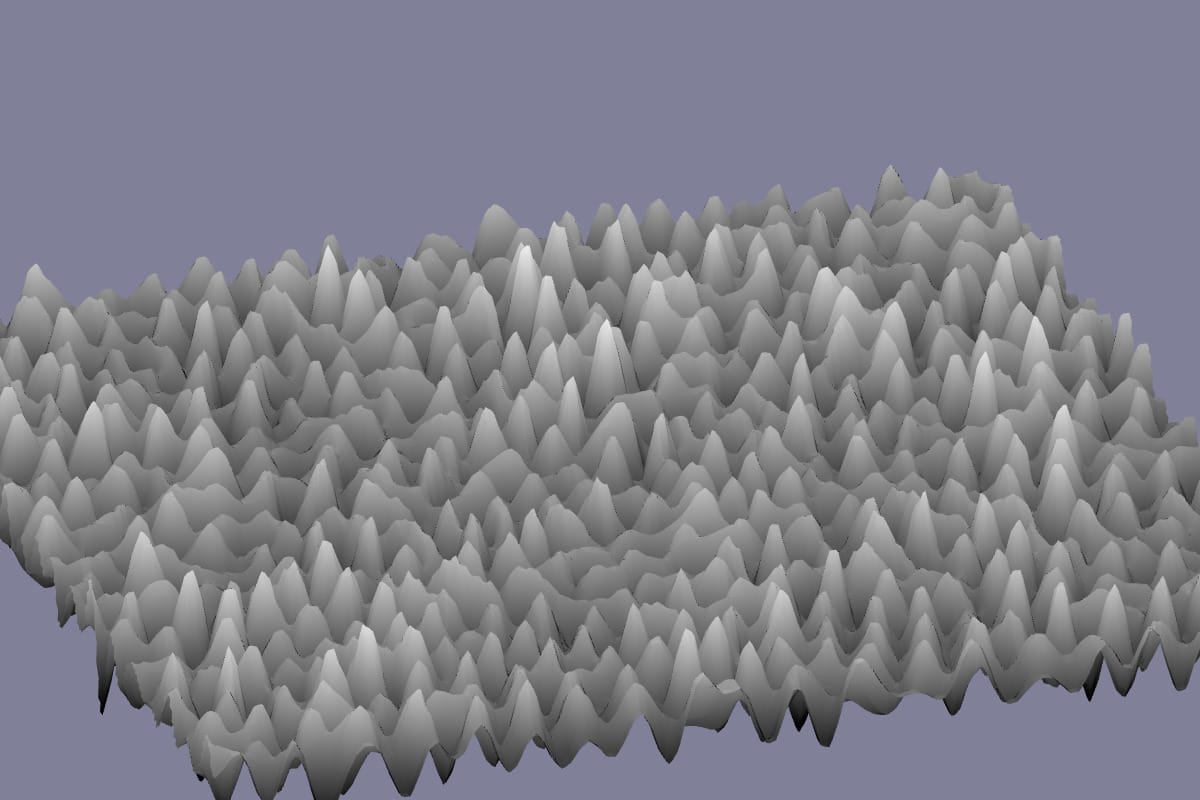
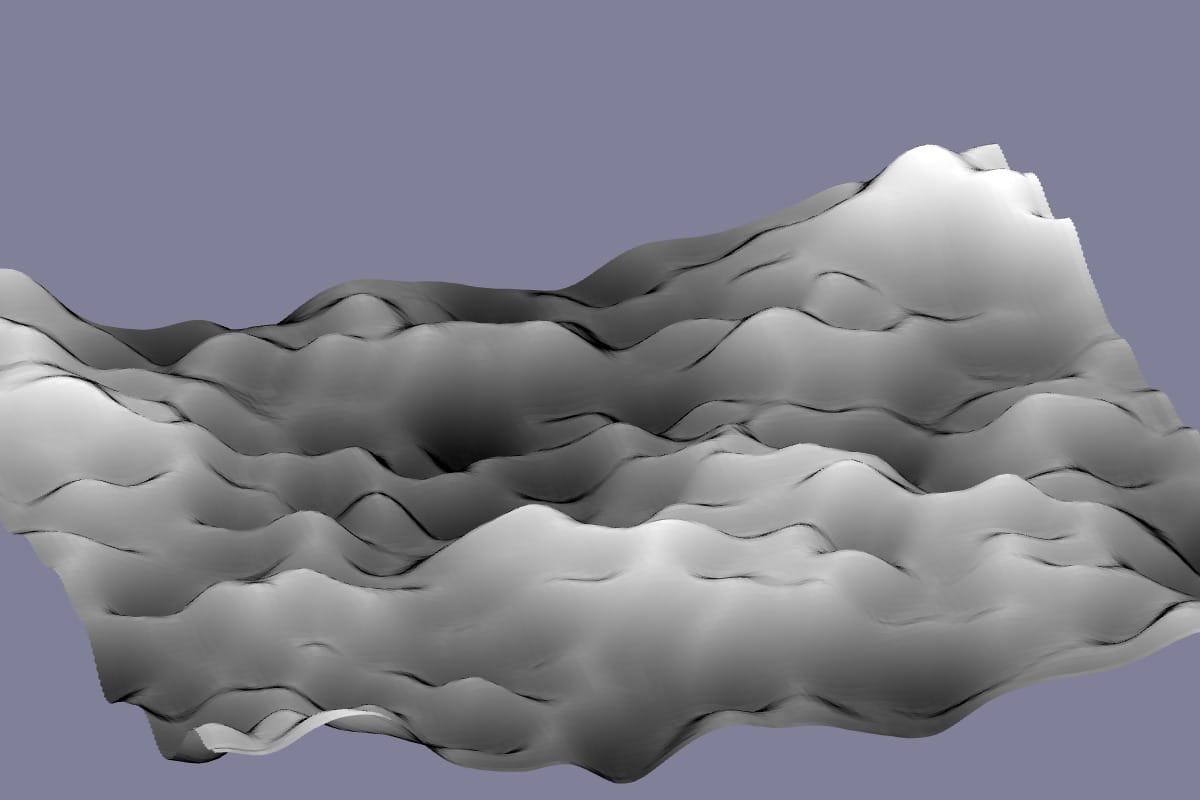
In this comparison you can see how the dark/light spots in the noise are renderered in the two renderers. With the old renderer (green) the color changes but the shapes are all mushy. With the new renderer (gray) the dark/light matches the noise, and the mountain peaks are easier to see.
Landscape: old (green) and new (gray) renderer
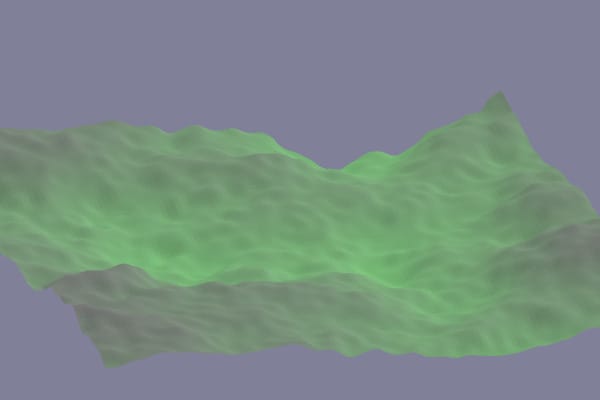
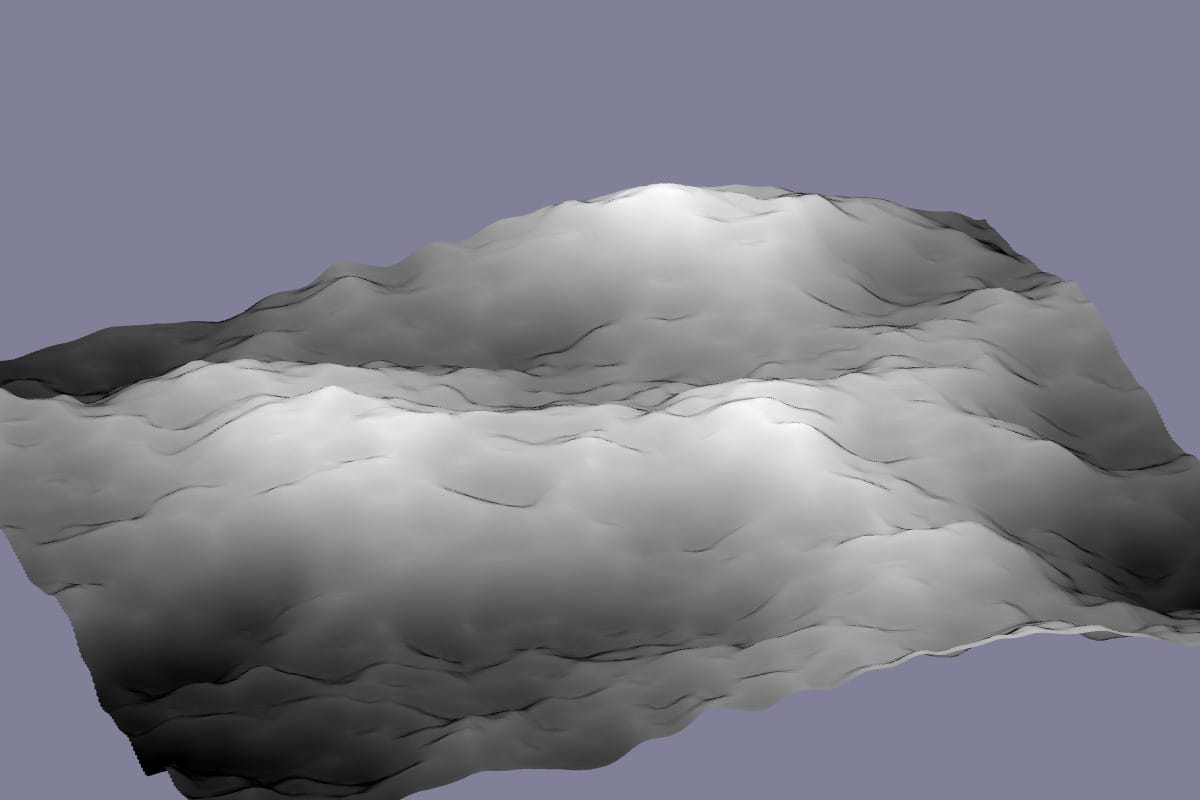
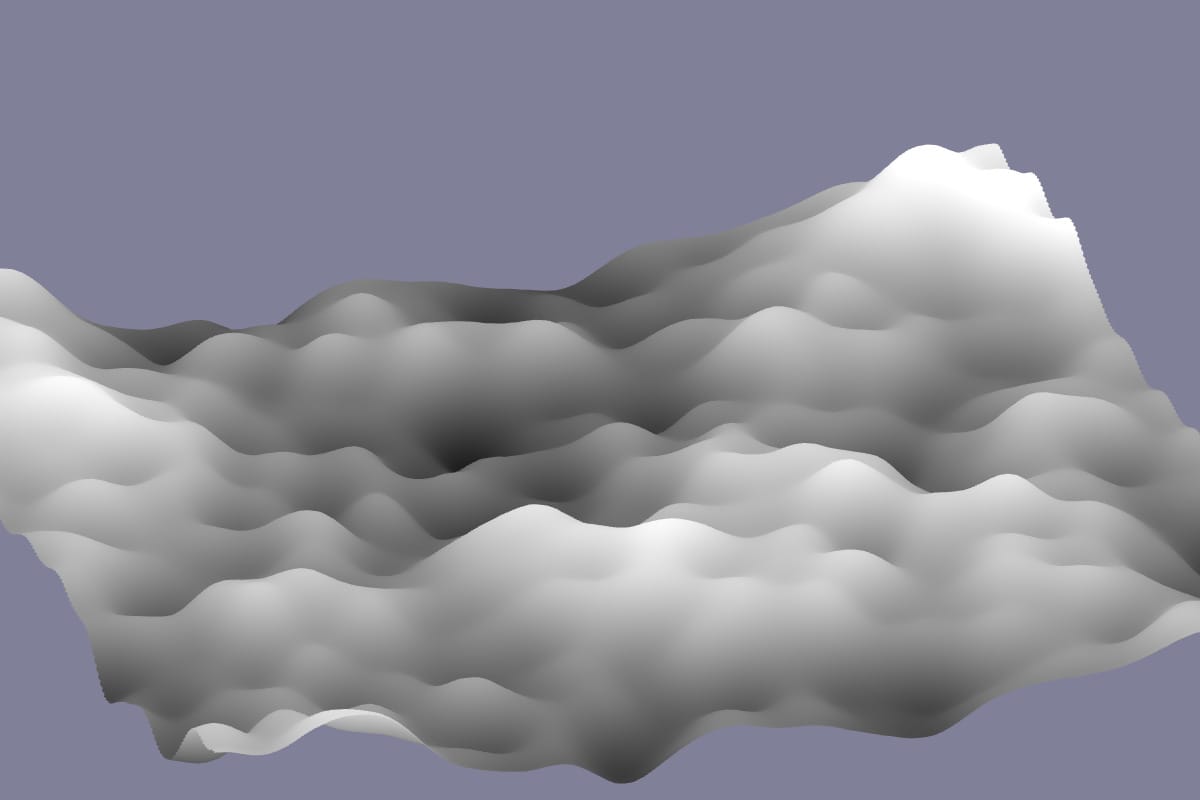
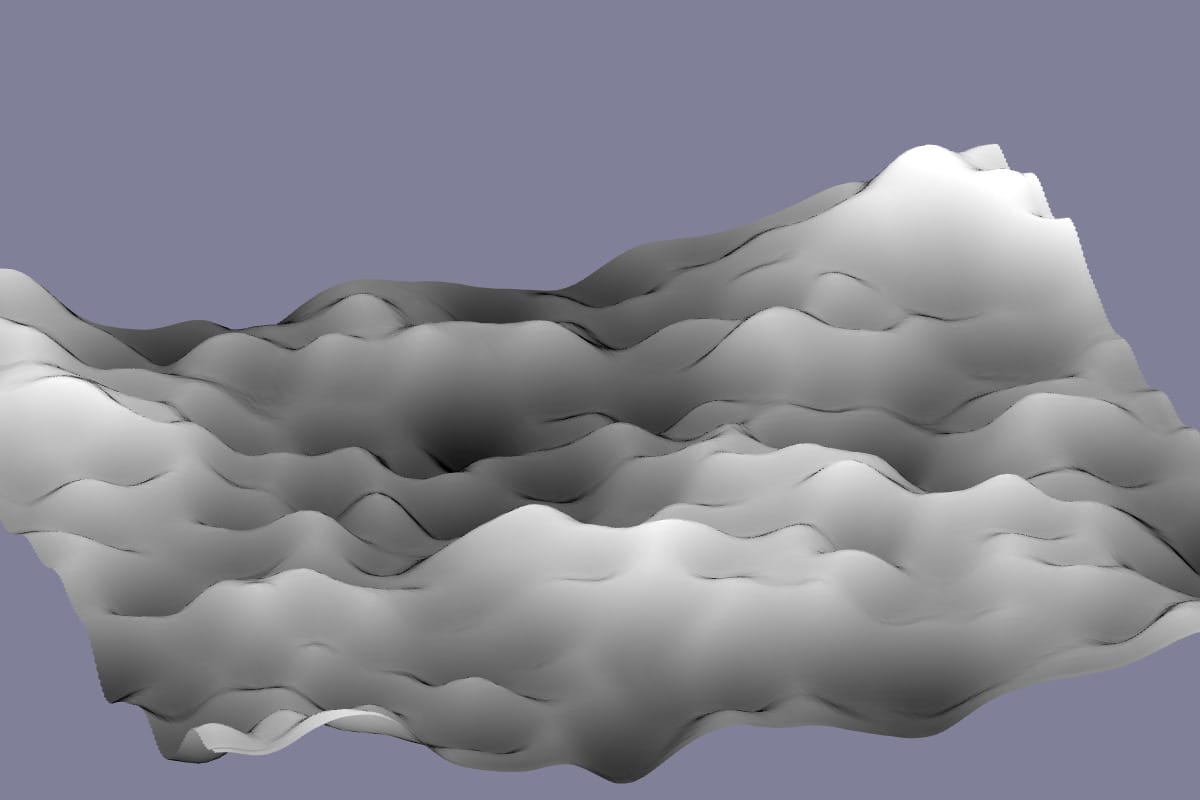
In smooth areas you can see how the outlines help show the shapes. You can also see that the old renderer flipped the elevation upside down (oops!).
Smooth area: old (green) and new (gray) renderer
With blue noise (positive exponents) the new renderer looks much better:
I darken the color based on fwidth(z). The GL extension OES_standard_derivatives calculates how much an expression changes from the current pixel(fragment) to adjacent pixels. When z changes a lot, that usually means it's changing from one mountain peak to another, so I darken the output color.
There are still more things I'd like to improve on this page, but the renderer was the thing that bothered me the most, and I'm now happy with it. The other changes will wait until another day.